Smiley Fun Live Wallpaper
- 4.3
- Rating
- 5.00M
- Installs
- Free
- Price

 Analysis by App-foxy
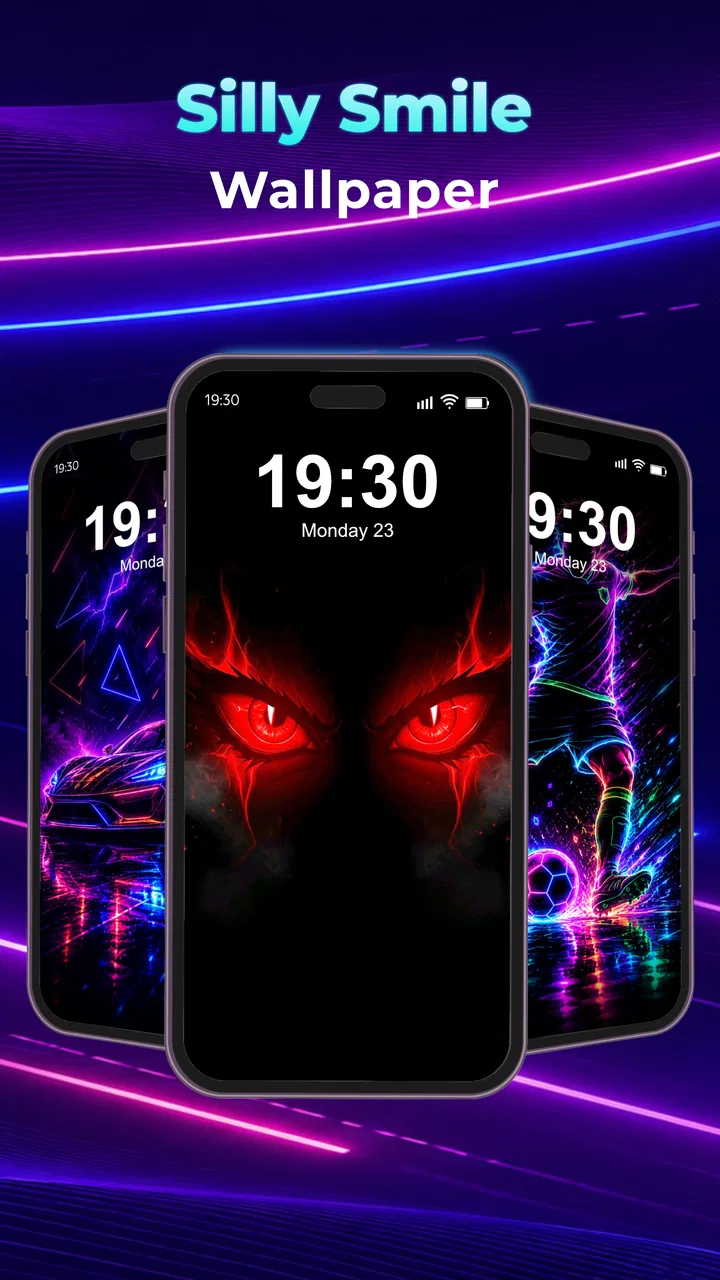
Smiley Fun Live Wallpaper is the kind of personalization app I would suggest to someone who wants a phone to feel more cheerful without changing its entire visual identity. Its idea is simple: replace a static background with animated smile-themed artwork presented in 4K quality. After spending time with it, my main impression is that it succeeds best as a small mood boost rather than as a deep customization suite. Its value is in making the home screen feel lively with very little effort.
That simplicity is important. Many wallpaper tools try to cover every possible style, from landscapes and abstract art to clocks, weather panels, and elaborate interactive scenes. This app takes a narrower route. It belongs to the personalization category, and its focus on playful animated smile wallpapers makes the experience easier to understand from the start. I do not need to sort through a complicated design system to find its purpose.
Hypernova Limited is the developer behind the app, which is available free of charge and rated for Everyone. It has reached over five million installs, while its average rating sits at 4.0 from around three thousand six hundred ratings. Those figures suggest that the concept has found a sizable audience, but they also point to a product people may judge very personally: a bright animated wallpaper can be charming to one user and distracting to another.
You May Also Like

 Blood Strike: 2.5 Anniversary
Blood Strike’s Loadouts Turn Every Drop Into a Tactical Gamble
A close look at Blood Strike’s custom loadouts: how fast access to signature weapons reshapes its battle royale rhythm, rewards preparation, and narrows the gap between fights.

 Pandora - Music & Podcasts
Pandora’s Music Is Easy to Start, but Harder to Recover
Pandora’s strength is its low-effort path from a seed to a station. Its weak spot is how much confidence it asks you to place in connection, setup, and quiet recovery.

 8 Ball Pool
 Is Built on Rivalries, Rematches, and Routine
A close look at the rivalries, rematches, shared routines, and unanswered safety questions that turn a quick pool match into a persistent mobile community.

 Samsung Music
’s Quiet Strength Is Playing What You Already Own
Its reach comes less from spectacle than from dependable access to a personal library. That simplicity is both the app’s strongest retention engine and its ceiling.

 AccuWeather: Weather Radar
AccuWeather Review: A Quick, Clear Forecast for Everyday Decisions
For everyday plans, the best forecast is the one you can understand quickly. AccuWeather makes rain timing, radar, and local conditions easy to act on, with a few trade-offs.

 Hill Climb Racing
Why Hill Climb Racing Still Turns Crashes Into One More Run
A tiny car, a bumpy hill and one more upgrade: Hill Climb Racing keeps resurfacing because its simple chaos makes every near-miss feel personal.
More From Our News Desk



What the animated wallpaper experience feels like
The strongest part of Smiley Fun is the immediate visual change it brings to a phone. A still image can make a device look polished, but animation gives the screen a different rhythm whenever I unlock it or return to the home screen. The smile-focused artwork creates a friendly, casual atmosphere instead of the more serious look common with dark gradients, city photography, or minimalist geometric backgrounds.
The 4K presentation is useful when the wallpaper is viewed on a sharp modern display. Fine edges and bright shapes have more room to look clean, especially when the background fills a large screen. Still, resolution alone does not make a wallpaper attractive. What matters here is the combination of clarity and movement. If you like colorful visual details and want your background to feel active, the app has a clear advantage over a regular image.
I also appreciate that the concept works without asking me to redesign the rest of the phone. I can keep the same icons, widgets, and launcher arrangement while changing only the background. That makes it a practical choice for a quick refresh. Someone who is tired of looking at the same home screen can create a noticeable change in a short session, without learning a new launcher or rebuilding a theme from scratch.
There is a useful distinction between an animated wallpaper and a fully interactive home-screen environment. Smiley Fun is appealing because it keeps the idea visually focused. I would not approach it expecting a widget platform, an icon pack, or a complete theme editor. Its strength is the background itself, and that narrow purpose keeps the decision straightforward.
A better way to judge it during everyday use
The best test is not simply opening the app and admiring the preview. I would apply a wallpaper, then use the phone normally for a while: unlock it several times, open messages, check a calendar, and move between home-screen pages. Animated backgrounds can look impressive in a preview but become tiring when text and icons need to remain readable over them.
For me, the key question is whether the smile artwork supports the layout I already use. If the animation leaves enough visual breathing room behind icons, the result can feel playful without becoming messy. If the movement or bright areas compete with widgets, the wallpaper may be less successful even if the image itself looks attractive. This is why I would test it with my actual home screen rather than judging only from a thumbnail.
One practical tip is to pair the wallpaper with a restrained icon arrangement. A crowded screen already contains a lot of information, and adding a lively background can make everything feel busier. Keeping the first page limited to the apps I use most often gives the animation space to work as decoration instead of turning into visual noise.
Another useful approach is to think about when the animation will be most visible. If I spend most of my time inside apps, the wallpaper mainly appears during brief transitions and unlocks. In that situation, a cheerful moving background can add personality without dominating the day. If I frequently browse several home pages or leave the phone idle on a desk, the motion becomes a larger part of the experience and deserves more careful consideration.
Where the app has a meaningful edge
Compared with ordinary wallpaper galleries, Smiley Fun offers a more expressive result because the background is animated rather than fixed. That difference is especially noticeable on a phone that otherwise has a plain default setup. I can get a sense of customization without searching for a matching set of images or manually adjusting a static picture to fit the display.
It also has an advantage over broad customization apps for users who already know the mood they want. A large catalog can be useful, but it can also create decision fatigue. Here, the smile theme gives the experience a recognizable identity. If I want something upbeat, colorful, and informal, I am not starting with an empty design brief.
The free price lowers the barrier to trying it. That matters for a visual accessory because personal taste is difficult to predict from screenshots. I can experiment with the look without treating the decision like a major purchase. For a teenager, a family member who enjoys cheerful themes, or anyone looking for a light change, that makes the app easy to recommend as a low-commitment option.
The current version is 1.0.1, so I view it as a relatively early release rather than a mature customization platform with years of accumulated options. That does not make it unusable, but it affects my expectations. I would judge it mainly on the quality and comfort of its core wallpaper experience, not on whether it matches the breadth of long-established personalization suites.
The main weakness is control, not the basic idea
The same focus that makes Smiley Fun easy to understand can also make it feel limited for experienced customization fans. If I want to adjust every visual detail, coordinate the wallpaper with icons, or build a complete system-wide look, a dedicated theme tool will probably suit me better. This app is centered on animated smile backgrounds, so it is not the right replacement for a full personalization workshop.
Animation itself can be a source of friction. A moving background may draw attention when I am trying to find an icon quickly, particularly if the artwork uses strong color changes or constant motion. Some people enjoy that energy every time they unlock their phone; others will find it tiring after the novelty fades. I would be especially cautious if I prefer quiet, low-distraction screens or use a highly organized work setup.
There is also a readability trade-off. A static wallpaper can be selected specifically for the contrast behind text and icons, while an animated image may change what sits behind them from moment to moment. Even a sharp 4K design can be inconvenient if a bright face or colorful element moves behind a label. The practical solution is to check the entire home screen, not just the wallpaper in isolation, and remove widgets that become difficult to read.
Battery behavior is another sensible consideration with any live wallpaper. I would not assume that an animated background has the same impact as a still image, especially if the animation remains active while the home screen is visible. The effect will depend on the phone and how often the screen is used, but users who prioritize maximum battery endurance should compare the experience with a static background over a normal day. For them, the visual gain may not justify the trade-off.
That limitation does not make the app a poor choice; it clarifies who should use it. Smiley Fun is about atmosphere, not efficiency. It adds a small visual flourish to a device, and that flourish is worthwhile only if I enjoy seeing it repeatedly.
Who will get the most from it
I think the best audience is someone who wants a friendly, noticeable refresh with minimal setup. If your phone feels dull but you do not want to replace the launcher, reorganize every icon, or spend an evening designing a theme, this app offers a sensible middle ground. The smile aesthetic is also a natural fit for users who prefer playful personalization over sleek or professional-looking backgrounds.
It can work well on a shared family device too. Because the content rating is Everyone, the concept is approachable for a broad range of users, and the visual language is easy to understand. A parent might use it to make an older phone feel more personal, while a younger user may enjoy the animated character of the screen without needing advanced customization knowledge.
Imagine a realistic daily scenario: I have finished work, my phone has looked the same for months, and I want a small change before a weekend trip. I install the app, choose a smile-themed animated background, check that the clock and icons remain readable, and leave the rest of the setup alone. That is where the app makes sense. It gives me a fresh feeling without creating another project to manage.
It is less suitable for someone who wants a calm lock screen, a photographic scene, or a highly coordinated professional theme. I would also point users toward a static wallpaper app if they care more about predictable battery use and maximum text contrast. Those alternatives may look less lively, but they can be better for reading, productivity, or a phone that is already visually busy.
People who enjoy changing their phone often may eventually want more variety than this focused concept provides. A broad wallpaper service is a better choice when I want landscapes one day, abstract art the next, and seasonal designs after that. Smiley Fun is more appealing when the smile aesthetic itself is the reason I am looking for a new background.
Small workflow choices that improve the result
I would begin by applying the wallpaper when I have time to inspect the home screen properly, rather than accepting the first preview immediately. Look at the top row of icons, the area around the clock, and any widget that contains small text. If one section becomes hard to read, moving a widget or simplifying the first page can make the wallpaper feel much more polished.
I would also avoid judging the app only while the phone is held close. Place the device where it normally sits, such as on a desk or bedside table, and see whether the animation still feels pleasant from a distance. A design that looks fun in hand may become visually loud when it is constantly visible in a room. This simple check helps separate a short-lived novelty from a background I will actually keep.
For users who switch between work and personal contexts, the app may be best used as an occasional refresh rather than a permanent commitment. A playful background can suit personal time, while a restrained static image may be more comfortable during a busy workday. Even without turning the phone into a full theme system, treating the wallpaper as part of a routine can prevent the animation from becoming stale.
Finally, I would keep expectations realistic about what the app is supposed to solve. It will not reorganize a cluttered home screen, improve notification management, or make an old interface feel completely new. What it can do is change the emotional tone of the background. That is a modest benefit, but small changes are often exactly what people want from personalization apps.
My verdict after weighing the charm against the limits
Smiley Fun Live Wallpaper has a clear thesis of its own: a phone can feel more enjoyable through one bright, animated visual change. In my experience, that focus works. The 4K artwork gives the background a crisp foundation, the smile theme is immediately recognizable, and the free entry point makes experimentation easy. The app has also attracted over five million installs, which fits its accessible, instantly understandable concept.
My recommendation comes with an important condition: enjoy animated decoration before installing it. If you like cheerful screens and want a quick way to make a familiar phone feel less ordinary, I would give it a try. Check icon readability, use a tidy home-screen layout, and see whether the movement remains comfortable after the first impression.
I would skip it in favor of a static wallpaper or a broader theme app if your priorities are battery conservation, subdued design, precise customization, or a large range of visual styles. Those needs require a different kind of tool. Smiley Fun is not trying to be everything, and its limitations are easiest to accept when I choose it for the specific mood it creates.
Overall, I see it as a pleasant personalization extra rather than an essential utility. For a quick dose of visual optimism, Smiley Fun is easy to recommend; for complete control, it is better treated as one focused option among more comprehensive alternatives. Its 4.0 average rating reflects that balanced position well: appealing enough for many users, but dependent on personal tolerance for motion and bright, playful design.
FAQs for Smiley Fun Live Wallpaper
01What features does Smiley Fun Live Wallpaper offer?
Smiley Fun Live Wallpaper provides a variety of animated smiley faces to brighten your screen. Users can choose from different themes, customize animations, and adjust the speed and frequency of smiles. Additionally, the app supports interactive features, allowing you to tap on the screen to trigger specific animations, making your home screen lively and fun.
02Is Smiley Fun Live Wallpaper compatible with all devices?
Smiley Fun Live Wallpaper is compatible with most Android devices running version 5.0 and above. However, performance may vary depending on your device's specifications. High-resolution screens and faster processors will ensure smoother animations and better visual quality, while older devices may experience limited functionality.
03Does using Smiley Fun Live Wallpaper drain battery life?
Live wallpapers, including Smiley Fun, generally use more battery than static images due to ongoing animations. The app is optimized to minimize battery consumption, but users with older devices or those concerned about battery life should monitor usage and consider disabling animations when not in use to conserve energy.
04Can I customize the smiley faces in Smiley Fun Live Wallpaper?
Yes, the app allows for extensive customization. Users can choose different smiley designs, colors, and backgrounds to match their preferences or mood. Additionally, you can adjust animation speed and frequency, ensuring the wallpaper fits your personal style while maintaining a fun and interactive experience.
05Are there any in-app purchases or ads in Smiley Fun Live Wallpaper?
Smiley Fun Live Wallpaper is free to download, but it includes optional in-app purchases for additional smiley packs and themes. The free version may contain ads, which can be removed by upgrading to the premium version. These purchases enhance customization options and support ongoing app development.
Pros
- Visually vibrant and engaging animations.
- Customizable themes and backgrounds.
- Low battery consumption.
- Smooth performance on most devices.
- Easy to set up and use.
Cons
- Limited free features available.
- Ads can be intrusive at times.
- Not optimized for all screen sizes.
- Occasional performance lags.
- Lacks interactive elements.

Smiley Fun Live Wallpaper
Gallery